Tested 15 October 2026 · RTX 3090 · Hindi TTS
SadTalker with Hindi audio
A 15.19-second Hindi narration, one fixed portrait, and a recorded ComfyUI render. Listen to the input and watch the output before choosing settings for your own clip.
The portrait, Hindi voice and output
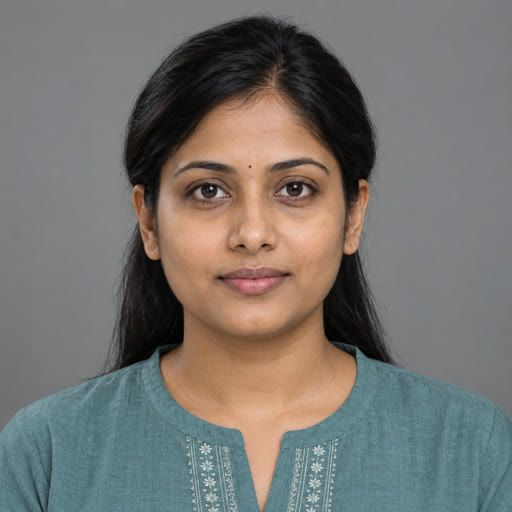
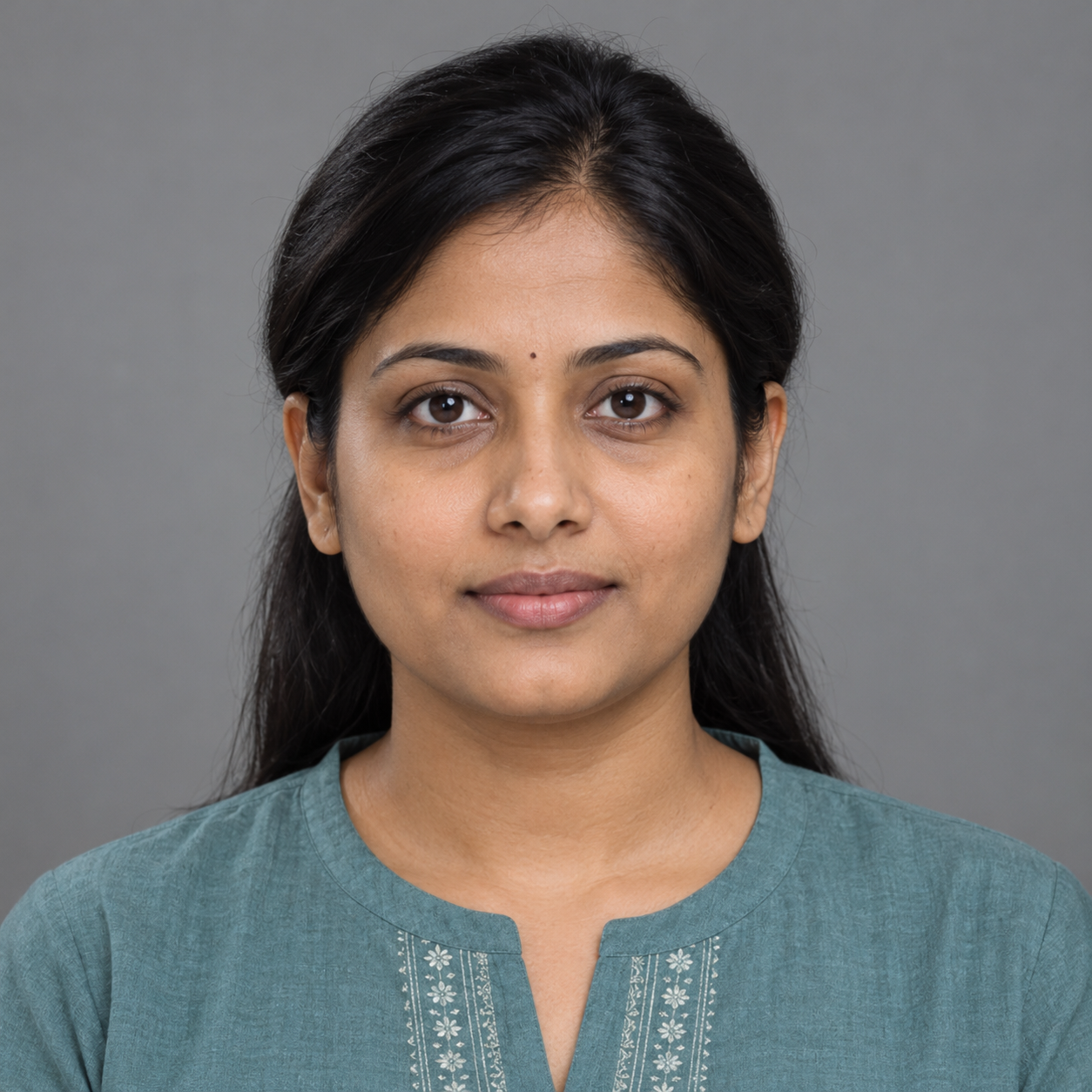
Listen to the input
Svara TTS · Hindi · Female · 16 kHz mono PCM WAV prepared from the original 24 kHz download.
Hindi script
नमस्ते। यह हिंदी आवाज़ और चेहरे के तालमेल का एक छोटा परीक्षण है। मेरा नाम रीना है। मैं धीरे और साफ़ बोल रही हूँ। आप मेरे होंठों की हरकत और आवाज़ के बीच तालमेल देख सकते हैं।
Meaning: Hello. This is a short test of Hindi voice and facial coordination. My name is Reena. I am speaking slowly and clearly. You can observe the coordination between my lip movements and voice.
Recorded settings and timing
| Measurement or setting | This run |
|---|---|
| GPU | NVIDIA GeForce RTX 3090 · 24 GB |
| Input audio | 15.189 s · 16,000 Hz · mono |
| ComfyUI execution time | 208.254 seconds |
| Sampled peak device memory | 11,750 MiB |
| Base rendering size | 512 |
| Preprocess | crop |
| Still mode | ON |
| Enhancer | GFPGAN ON |
| Batch / expression / pose | 2 / 1.0 / 0 |
| Worker CPU thread limits | 4 each: OMP, MKL, OpenBLAS, NumExpr |
One measured run on the already running ComfyUI server. The isolated SadTalker worker starts for each render. Timing covers ComfyUI execution from input loading through worker/model startup, inference and export. It excludes software installation, TTS generation, transfers and queue waiting. Memory is the highest whole-device reading sampled roughly once per second; it can miss shorter peaks and includes other GPU allocations.
The 512 setting is the base face-rendering size. GFPGAN produces a 1024 × 1024 output here. This single run is not a speed comparison between languages.
Run data and hashesCompleted ComfyUI historyWorker logSoftware versions
Make a Hindi talking-head clip
Generate and check the voice first
In the Svara TTS Space, choose Hindi and a voice, enter a short Devanagari script, then generate and download the WAV. This sample used Female, temperature 0.7, top-p 0.8, repetition penalty 1.1 and a max-new-tokens input of 2048. Listen for missing words, repeated phrases, unnatural pauses and pronunciation before animating.
Prepare the audio without changing its pace
The original download was 24 kHz mono PCM. We converted it to 16 kHz mono PCM without trimming, denoising, normalization or speed changes. You can use our prepared WAV to reproduce this run.
Prepare the downloaded narrationbashffmpeg -i hindi-svara-original.wav -ac 1 -ar 16000 -c:a pcm_s16le hindi-input.wavFor another recording, check it with the input quality checker. Level warnings are heuristics; they do not establish that the speech is clean.
Load the portrait and audio in ComfyUI
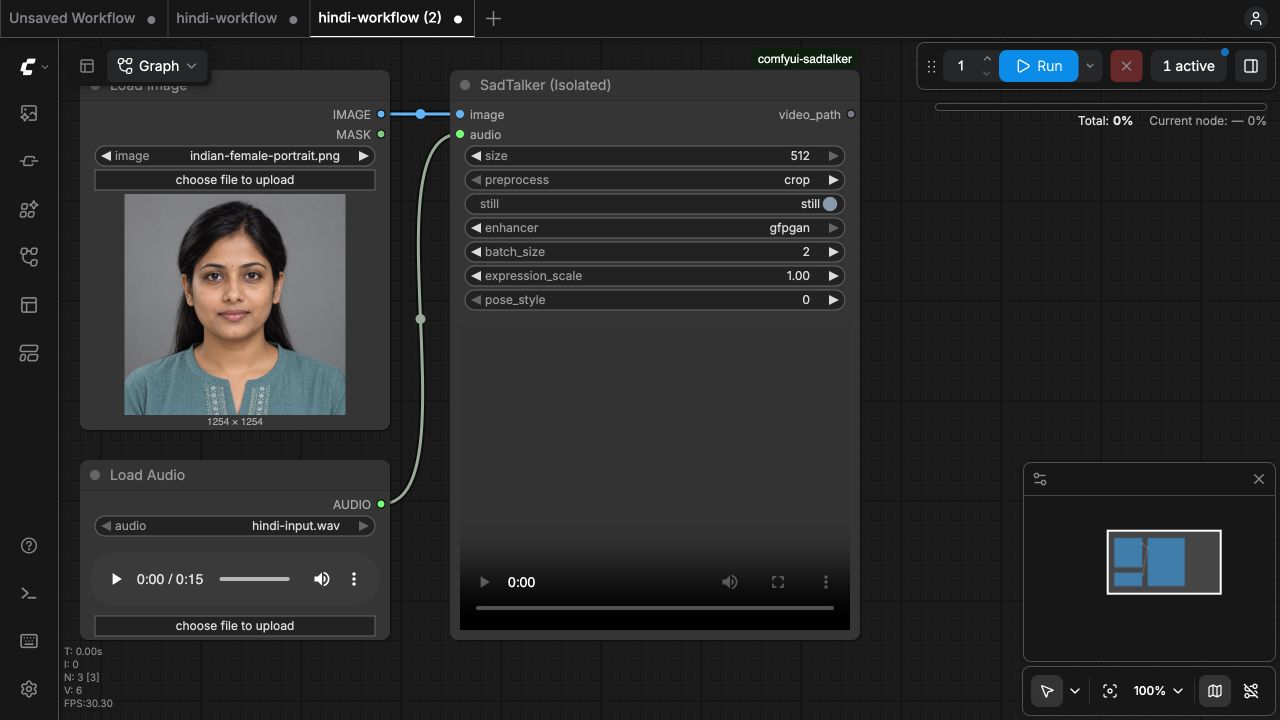
Follow our ComfyUI setup guide to install the isolated SadTalker node and checkpoints. Download the Hindi workflow and drag it onto the canvas. Select
indian-female-portrait.pngin LoadImage andhindi-input.wavin LoadAudio. Both feed the SadTalker node.Apply the tested settings and run
Use crop, 512, still ON and GFPGAN ON, with batch size 2, expression scale 1.0 and pose style 0. Run the workflow and inspect the output around consonants, pauses, teeth and face edges. SadTalker receives the audio waveform; this workflow has no Hindi language selector or text input.
Review the MP4 before using it
The isolated node saves the MP4 and worker log under
ComfyUI/output/sadtalker/<run-id>/. Listen at normal speed, then replay short sections while watching the mouth. Use the original output when judging detail; the page preview is compressed.
Run the same settings from the command line
Run from the pinned SadTalker repository with its separate environment active and models installed. The command uses the same settings; its elapsed time is not the ComfyUI measurement above.
OMP_NUM_THREADS=4 MKL_NUM_THREADS=4 OPENBLAS_NUM_THREADS=4 NUMEXPR_NUM_THREADS=4 \
python inference.py \
  --source_image indian-female-portrait.png \
  --driven_audio hindi-input.wav \
  --result_dir results/hindi \
  --preprocess crop --size 512 --still --enhancer gfpgan \
--batch_size 2 --expression_scale 1.0 --pose_style 0What to check in this output
Mouth movement and head pose
Frames sampled every two seconds show changing lip openings and visible teeth while the head stays close to the source pose. These frame checks confirm animation, but do not measure the alignment of individual Hindi sounds.
Face detail and expression
The face outline and hair remain recognizable in the sampled frames. The eyes appear more open than in the source in several frames, the skin looks smoother, and teeth and inner-mouth shapes change with the expression. Inspect the moving original MP4 at full size for brief artifacts. GFPGAN was enabled; this run does not isolate its effect.
Audio and video duration
The MP4 contains both video and audio streams lasting 15.16 seconds. The prepared WAV is 15.189 seconds, a difference of about 29 milliseconds at a 25 fps output cadence. Matching durations is an export check, not a lip-sync accuracy measurement.
Before a longer Hindi narration
- Check the TTS pronunciation and pauses first. SadTalker does not repair spoken words.
- Keep the portrait and audio fixed when comparing settings. This template has no seed control, so blinking and expression may vary between runs.
- Review teeth, closed-lip sounds, jaw edges and identity throughout the clip.
- This is one AI-generated Indian female portrait and one synthetic female Hindi voice. Natural speech, regional accents, singing, background music and longer clips were not tested here.