SadTalker GitHub Guide: Setup, RTX 4090 Benchmarks & Fixes
Everything the official GitHub README leaves out: complete architecture breakdown, step-by-step cross-platform installations for Ubuntu, Windows, and macOS, real nvtop GPU activity recordings, and verified fixes for undocumented TorchVision and Gradio errors.
Official Repository Details
Verified GitHub source, release status, and distinction between official and fork repos.
Repository Identity
The primary upstream repository is maintained by OpenTalker (originating from Xi'an Jiaotong University and Tencent AI Lab). While older tutorials refer to Winfredy/SadTalker, OpenTalker is the current authoritative upstream.
Key Project Milestones
- 512x512px Beta Model: High-definition face texture synthesis released in v0.0.2.
- Watermark Removed: The default diagnostic watermark was permanently retired in subsequent releases.
- Full-Image Mode: Added
--preprocess fullto animate portraits without cropping.
Commercial License Clarity
The code itself is published under the permissive Apache 2.0 License. However, the pretrained 3DMM and landmark extraction checkpoints incorporate non-commercial research models (such as BFM and GFPGAN). For commercial deployment, weights must be retrained on open-domain datasets.
SadTalker Folder Structure Explained
Understanding what each directory does saves hours of troubleshooting when locating model weights, customizing output paths, or inspecting rendering pipelines.
What Every Folder Does
Stores pre-trained model weights including SadTalker_V0.0.2_256.safetensors, SadTalker_V0.0.2_512.safetensors, and 3DMM coefficients. Populated via scripts/download_models.sh.
Contains the offline face restoration models (GFPGANv1.4.pth and parsing models) for sharp skin pores, natural teeth, and pupil clarity.
Core deep learning algorithms: audio2exp (mel-spectrogram to expression), audio2pose (head nod/tilt), and facerender (PyTorch neural renderer).
Default output destination organized by timestamp folders (e.g., ./results/2026_09_12_08.59.12/). Contains both raw generated mp4 and enhanced mp4 files.
Sample speech audio files (driven_audio/*.wav) and reference portrait test photos (source_image/*.png).
Which File Should Beginners Run?
Spawns a local Gradio browser interface on http://127.0.0.1:7860. Features drag-and-drop image and audio inputs, slider-based expression settings, and instant video preview.
The headless CLI engine. Ideal for automated cloud servers, batch pipelines, Vast.ai and RunPod instances, and fine-tuning generation arguments without browser overhead.
Automated bootstrapping scripts. On Windows, double-clicking webui.bat creates a virtual environment, installs PyTorch, pulls checkpoints, and launches Gradio automatically.
inference.py with --size 512 --still --enhancer gfpgan as a starting point for a steadier, enhanced face. Compare the original likeness and jaw/neck edges; these settings do not guarantee identity accuracy or eliminate jitter. See the Best Settings master guide.Real Hardware Benchmarks: RTX 4090 vs RTX 3090 vs RTX 3060
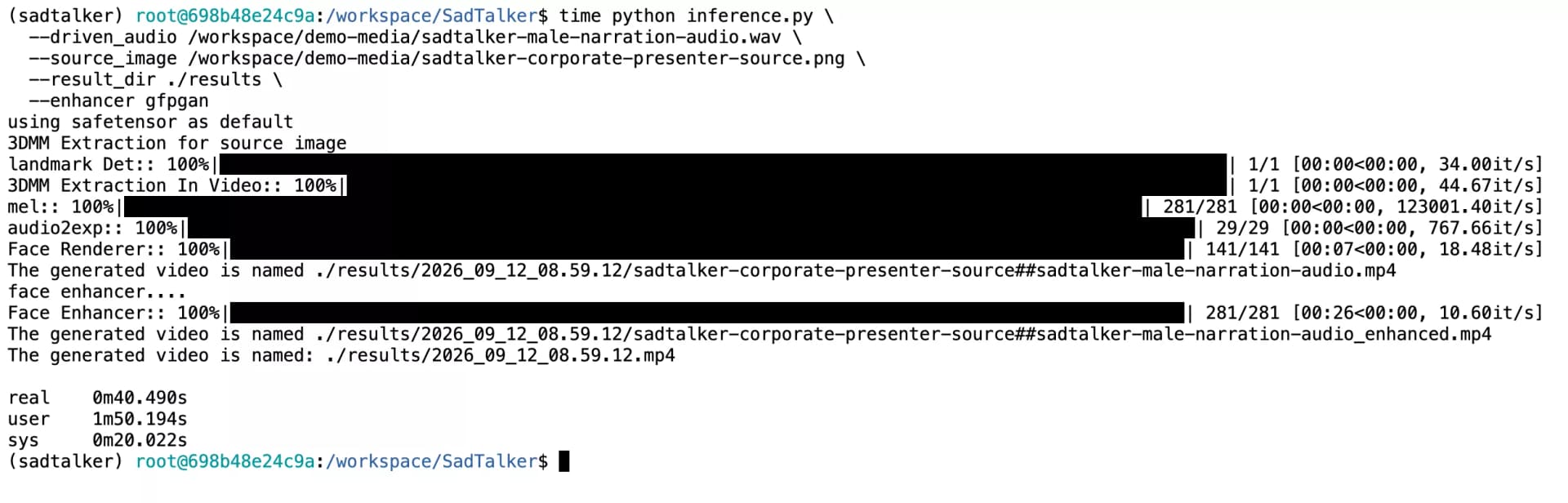
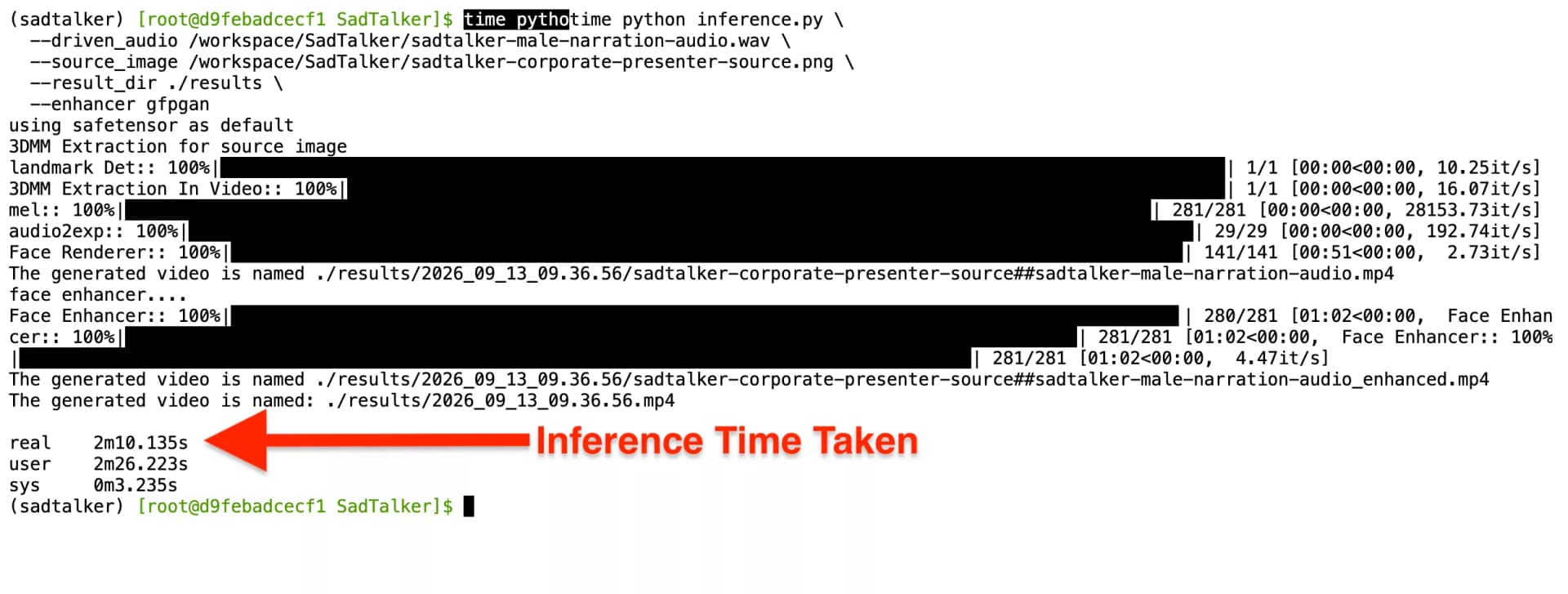
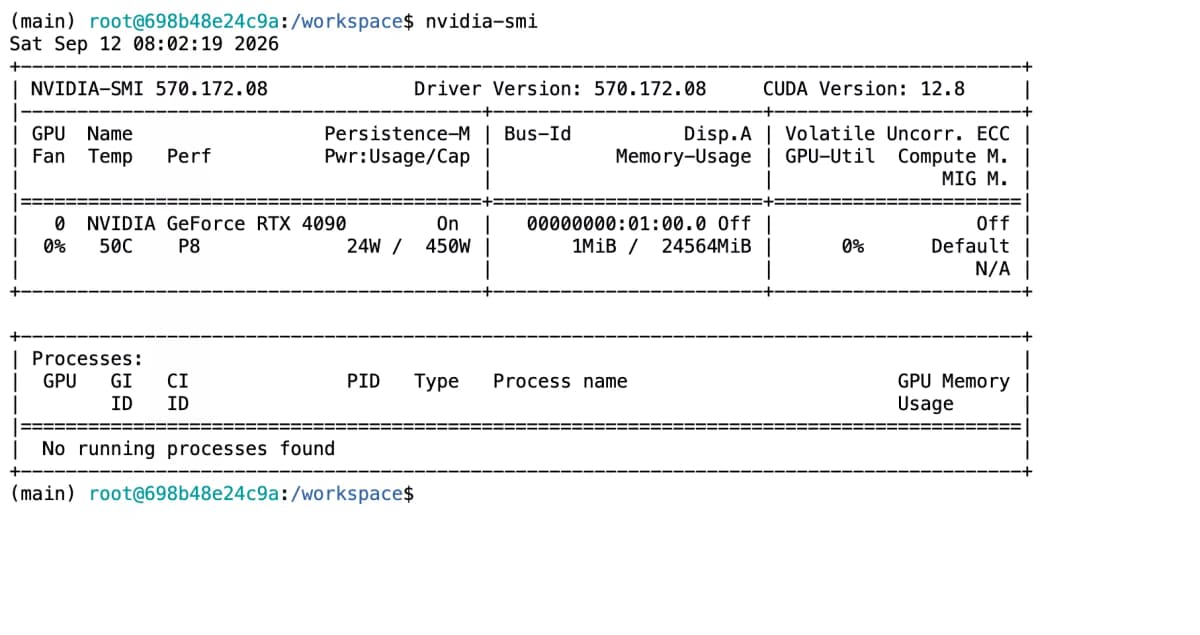
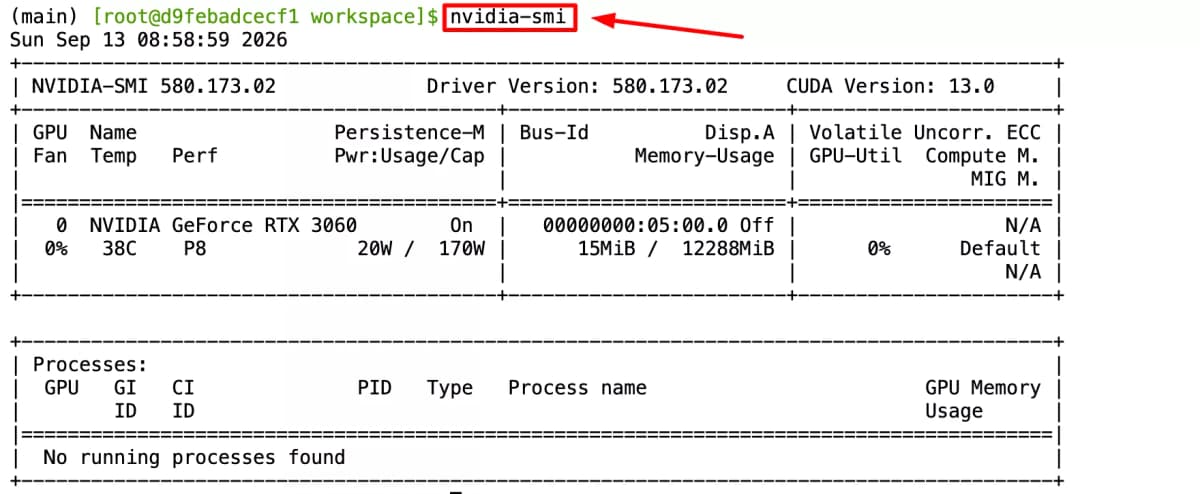
We tested SadTalker generation time and inference speeds across dedicated NVIDIA hardware with identical inputs: an 11.24s studio audio track, a 512×512 portrait, still mode, and GFPGAN face restoration. Measured wall-clock execution: RTX 4090 (40.490s) vs RTX 3090 (2m 10s) vs RTX 3060 (~3m 15s).
NVIDIA GeForce RTX 4090
NVIDIA GeForce RTX 3090
Head-to-Head Benchmark Summary (Identical 11.24s 512px Input)
| Metric | NVIDIA RTX 4090 | NVIDIA RTX 3090 | Difference |
|---|---|---|---|
| Real Execution Time | 40.490 seconds | 2m 10.135s (130s) | 3.21x faster |
| GFPGAN Enhancer Speed | 10.60 it/s | ~2.75 it/s | 3.85x higher throughput |
| Dedicated VRAM | 24 GB GDDR6X | 24 GB GDDR6X | Identical capacity |
| Peak VRAM Allocated | 8.3 GB | 8.2 GB | < 1% variance |
| Cloud Cost per Video (Vast.ai) | $0.0053 | $0.0079 | 4090 is cheaper per run |
| Visual Quality | 512×512 HD + GFPGAN | 512×512 HD + GFPGAN | Bit-identical frames |
Hardware Requirements: VRAM, Disk & Compute
SadTalker requires significant VRAM when running 512px resolution with the GFPGAN enhancer. Here is what your hardware needs:
| Component | Minimum (256px) | Recommended (512px) | Production / Cloud Rig |
|---|---|---|---|
| GPU VRAM | 4 GB (GTX 1660 / RTX 3050) | 8 GB - 12 GB (RTX 3060 / 4070) | 16 GB - 24 GB (RTX 3090 / RTX 4090) |
| CUDA Version | CUDA 11.3+ | CUDA 11.8 - 12.4 | CUDA 12.4 - 12.8 |
| System RAM | 8 GB | 16 GB - 32 GB | 32 GB - 64 GB |
| Disk Storage | 12 GB free space | 25 GB SSD space | 50 GB NVMe |
| Inference Latency | ~2.5 to 4 minutes | RTX 3060 (12GB): ~3m 15s RTX 4070 (12GB): ~75s | RTX 4090: 40.49s|RTX 3090: 2m 10s |
SadTalker Hardware Requirements: Why NVIDIA RTX 3060 (12GB) is the Sweet Spot
SadTalker with 512px GFPGAN face enhancement peaks at 8.2 GB to 8.3 GB VRAM. The RTX 3060 12GB eliminates CUDA Out-Of-Memory errors common on 8GB graphics cards while completing full 11s renders in ~195 seconds (~1.9 it/s). If your workload still exhausts VRAM, follow the CUDA out-of-memory guide to reduce memory use.
Complete Cross-Platform Installation
Select your target operating system below for tailored terminal commands, prerequisite checks, and real screenshot evidence from verified environments.
Update Ubuntu & Install Critical Prerequisites
SadTalker depends on FFmpeg for combining the generated video frames with the driven audio wav file. Missing FFmpeg causes unhandled Python subprocess errors during audio muxing.
apt update && apt install -y git ffmpeg wget python3-pip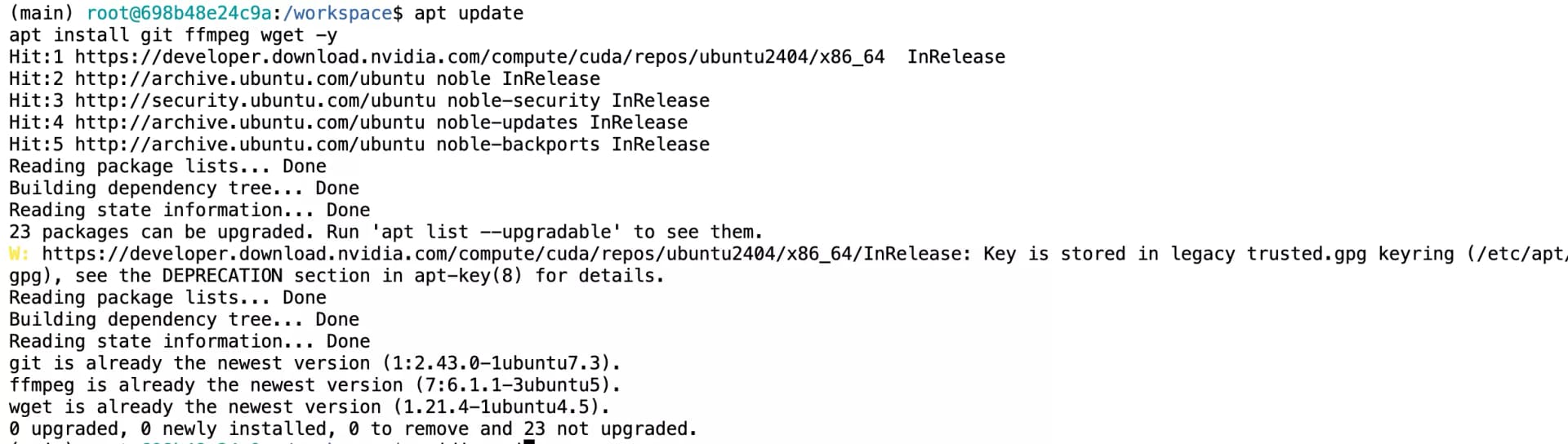
Live output of apt update and dependency installations
Clone Repository & Create Isolated Python 3.8 Conda Environment
The official repository is optimized for Python 3.8. Using Python 3.11 or 3.12 triggers wheel compilation failures for older PyTorch dependencies and facial landmark libraries.
# Clone official repo
git clone https://github.com/OpenTalker/SadTalker.git
cd SadTalker

# Create and activate Python 3.8 environment
conda create -n sadtalker python=3.8 -y
conda activate sadtalkerconda install -c conda-forge ffmpeg -yInstall PyTorch & Repository Requirements
Install PyTorch with CUDA acceleration before running the main requirements file.
# Install PyTorch with CUDA support
pip install torch torchvision torchaudio

# Install repository requirements
pip install -r requirements.txt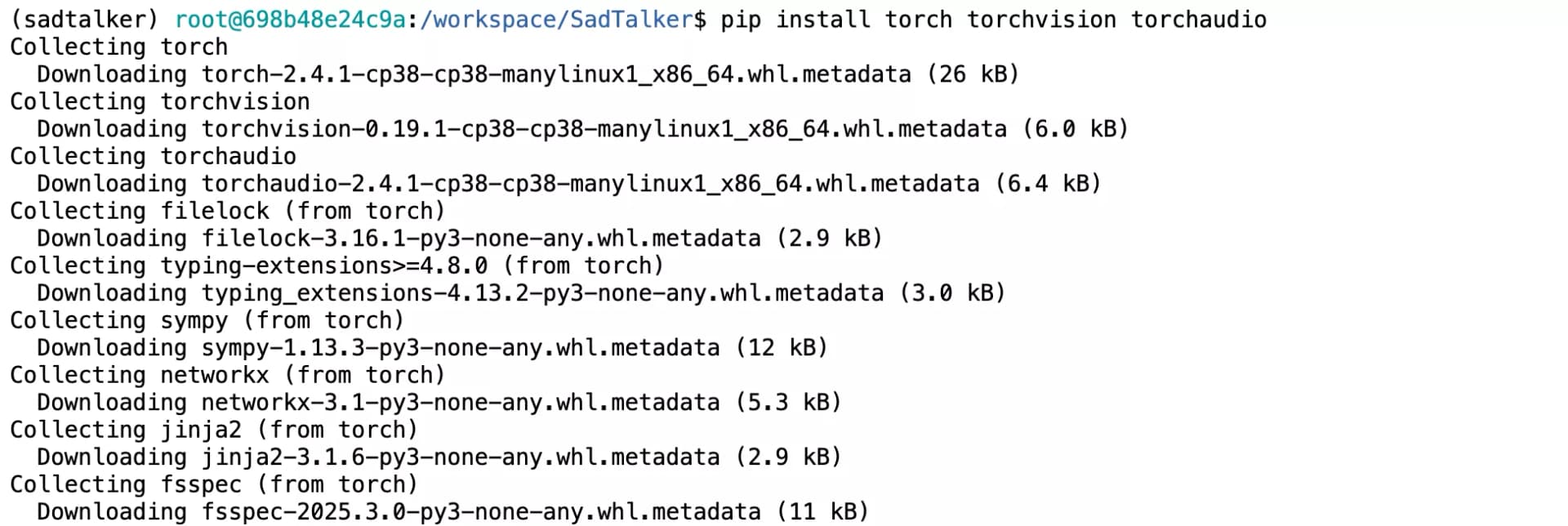
PyTorch CUDA Wheel Installation
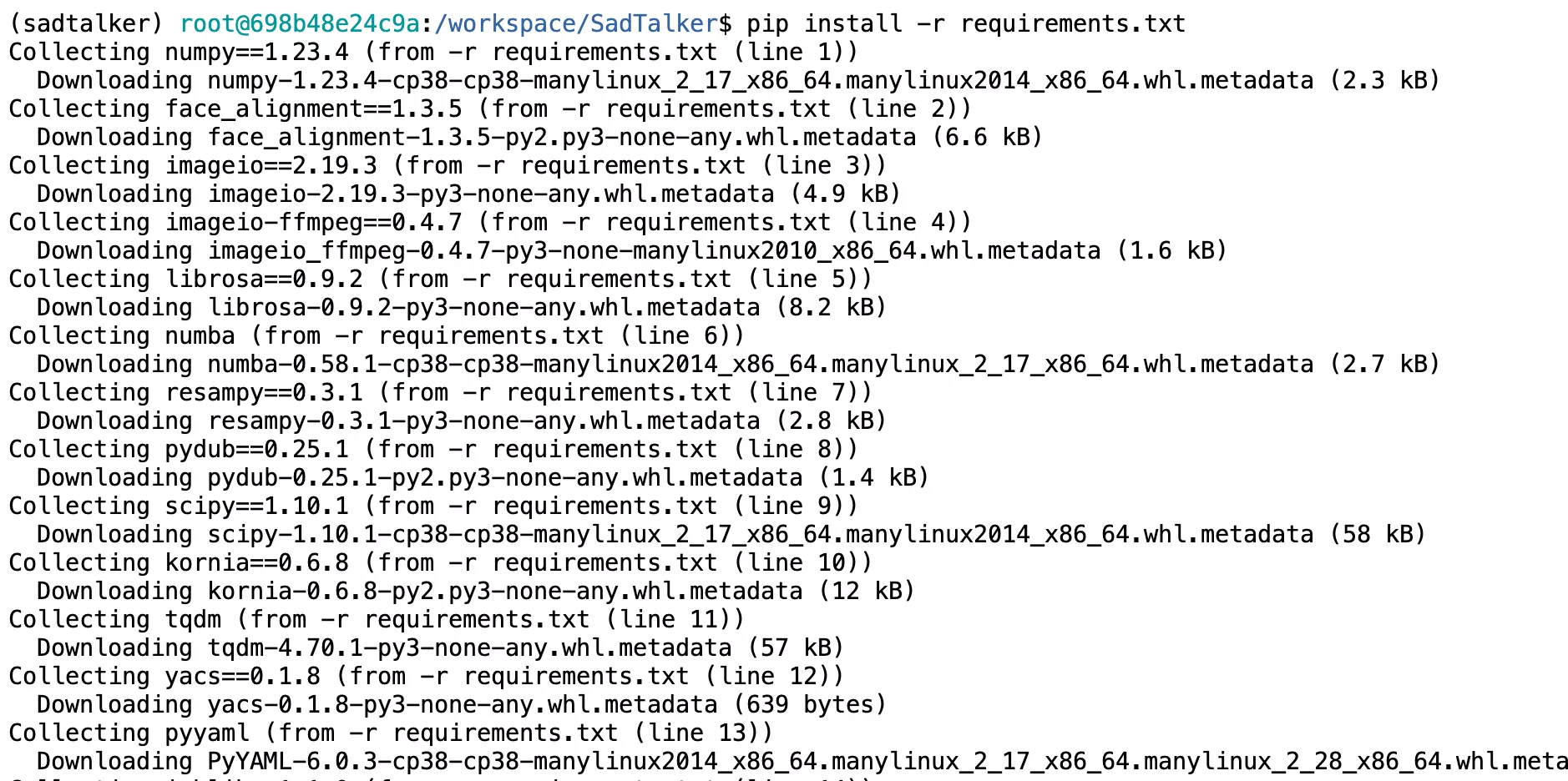
Requirements Installation
Acquire Pretrained Weights & Checkpoints
SadTalker provides a dedicated bash script to fetch the essential checkpoints into checkpoints/ and gfpgan/weights/.
bash scripts/download_models.sh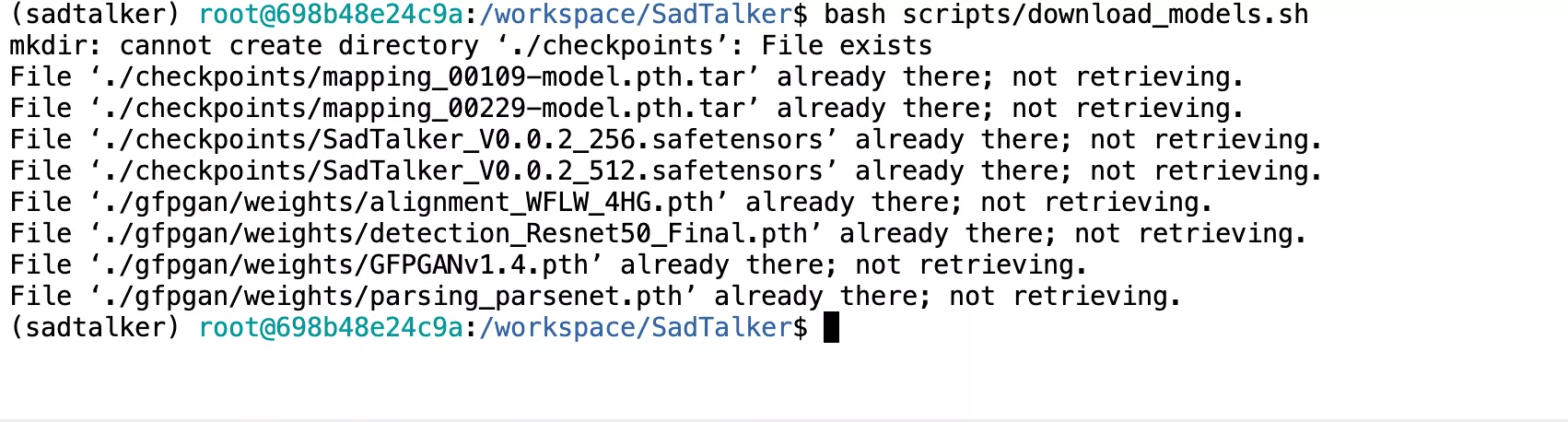
Model Weights Fetched Automatically
Launch: Local Gradio WebUI or Headless CLI
Choose whether to interact via the web browser or execute batch jobs directly from the terminal.
Option A: Launch WebUI (Port 7860)
python app_sadtalker.py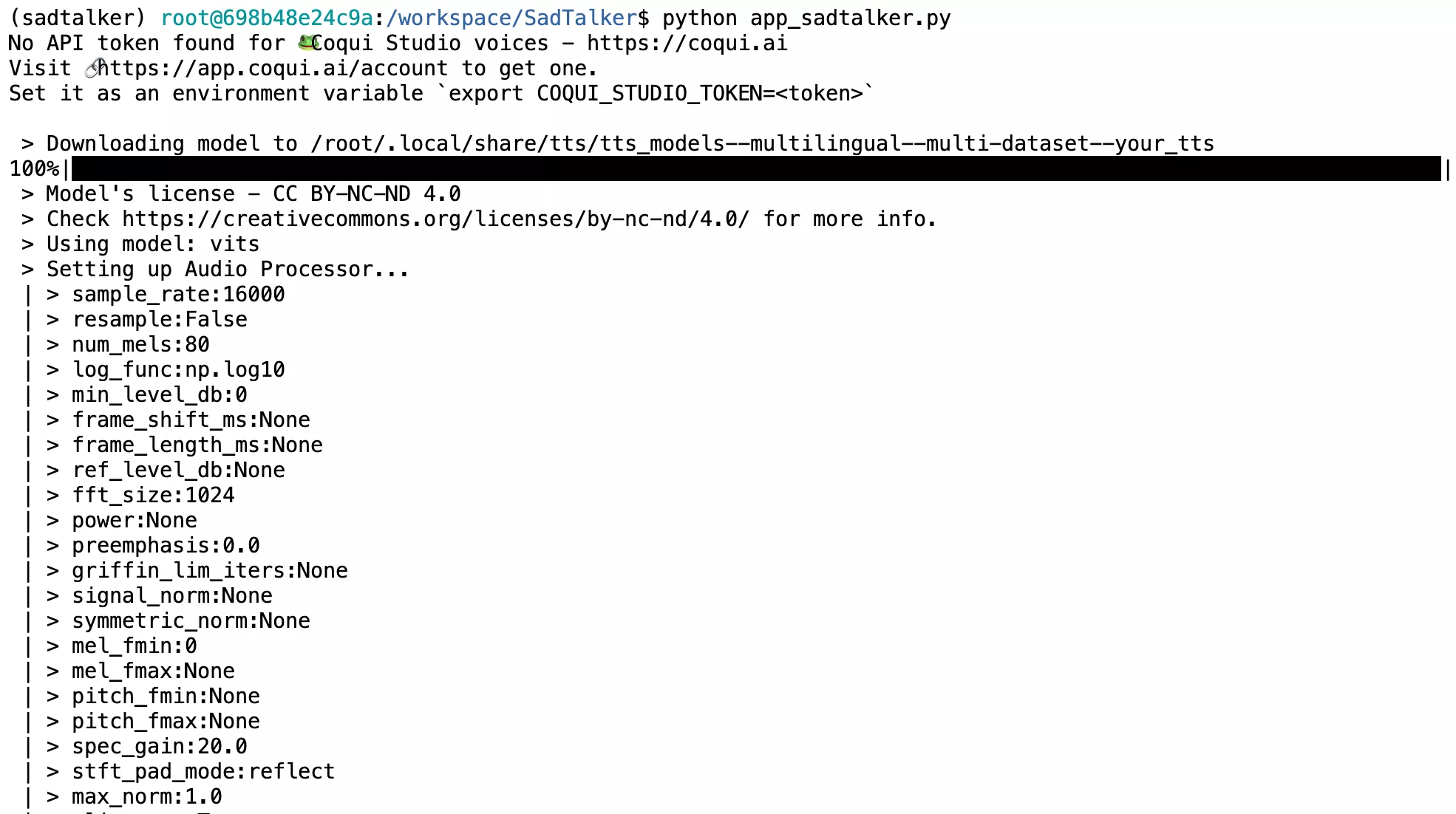
Gradio local web server initialization

Active Gradio URL and live demonstration interface link
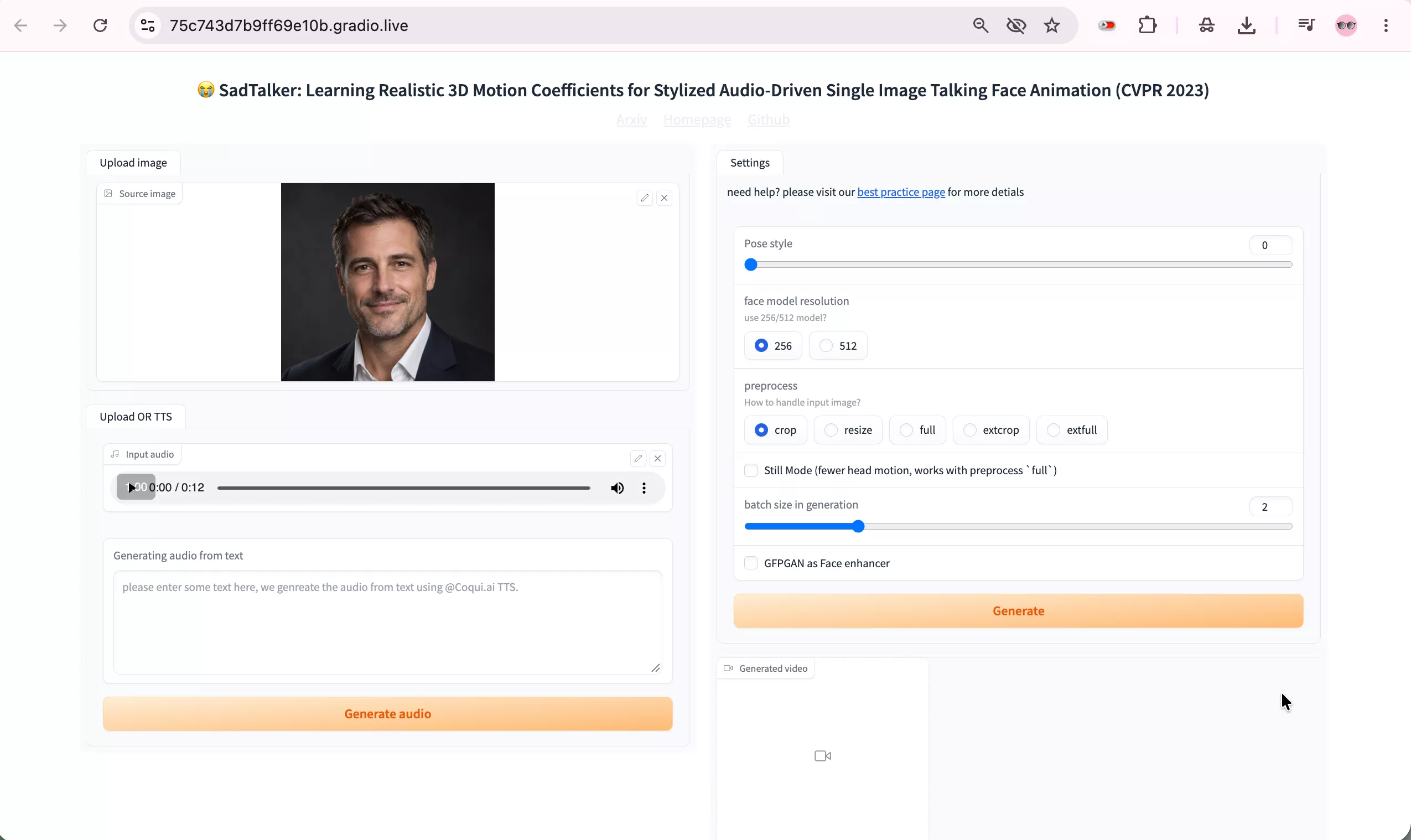
SadTalker Gradio WebUI running locally with source image and audio inputs
Option B: Headless CLI Inference
time python inference.py \
  --driven_audio ./examples/driven_audio/bus_chinese.wav \
  --source_image ./examples/source_image/full_body_1.png \
  --result_dir ./results \
  --enhancer gfpgan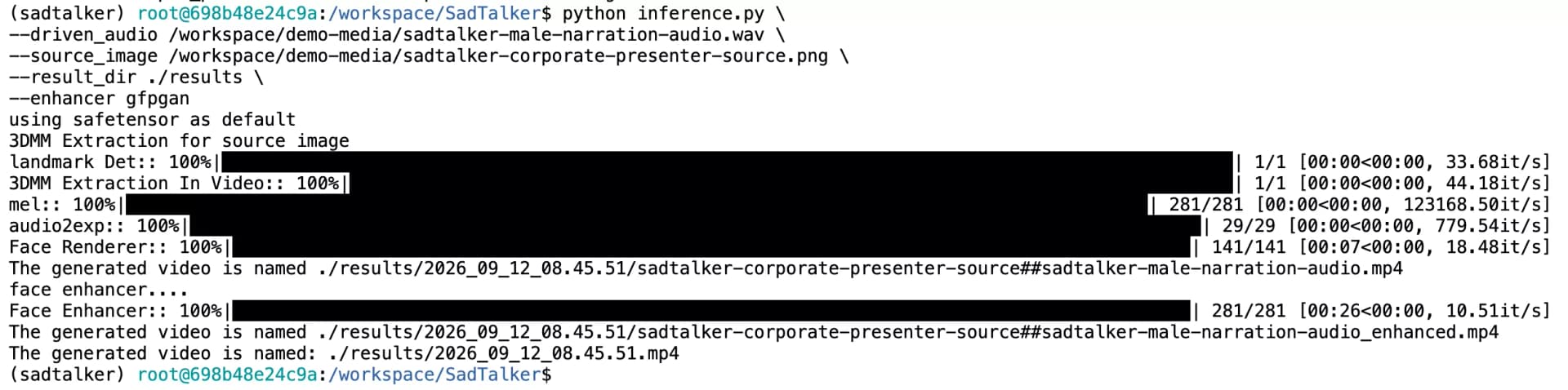
CLI inference execution with driven audio and source image
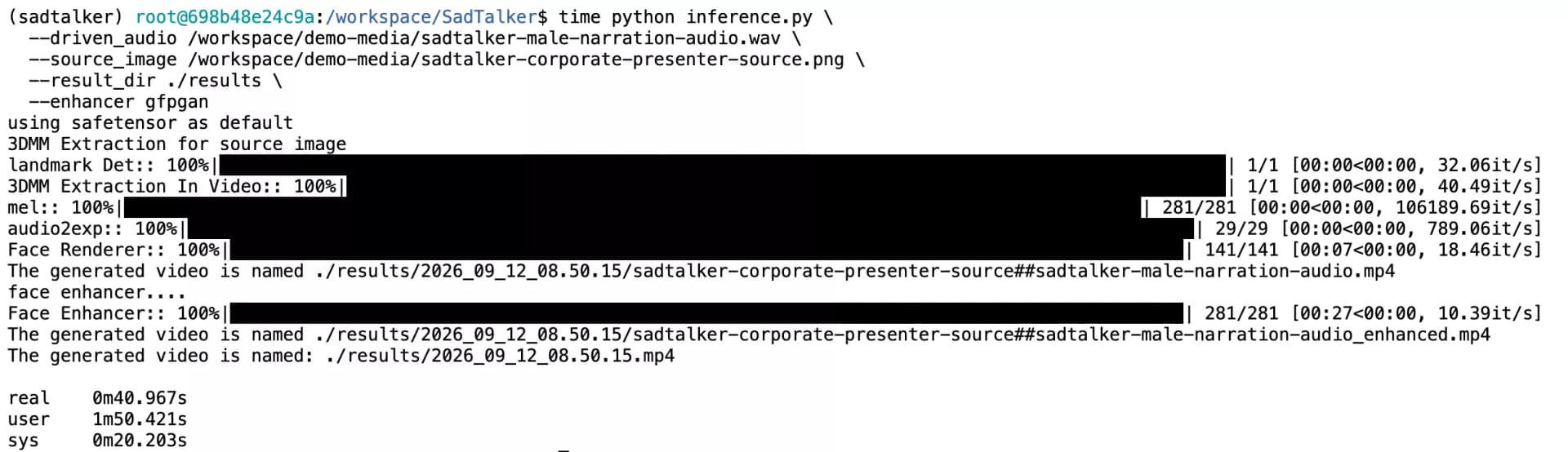
Terminal output with detailed stage execution timings
Fixes for Undocumented GitHub Errors
When installing SadTalker on modern operating systems or recent PyTorch environments, users frequently encounter unmaintained third-party library breakages. Here are the verified single-line command fixes:
1. ModuleNotFoundError: No module named 'torchvision.transforms.functional_tensor'
Common BugCause: In newer releases of torchvision, the internal module functional_tensor was deprecated and unified into torchvision.transforms.functional. The basicsr dependency still imports the legacy path.
sed -i 's/from torchvision.transforms.functional_tensor import rgb_to_grayscale/from torchvision.transforms.functional import rgb_to_grayscale/' $(python -c "import site; print(site.getsitepackages()[0])")/basicsr/data/degradations.py2. AttributeError: 'Row' object has no attribute 'style'
Gradio MismatchCause: Running python app_sadtalker.py with modern Gradio 4.x fails because Gradio removed the .style() method.
pip install "gradio==3.41.2"3. ModuleNotFoundError: No module named 'TTS'
Optional Voice FeatureCause: Coqui TTS is optional for the voice cloning tab in the Gradio WebUI. If you need voice synthesis directly inside the demo, install Coqui TTS:
pip install TTS==0.13.34. Missing FFmpeg Subprocess / Audio Not Synced
Muxing ErrorCause: Python generates the raw video frames successfully, but fails at the final step when combining the audio track because FFmpeg is absent in the Conda environment binary PATH. Use the FFmpeg and ffprobe troubleshooting guide to check executable discovery and test the audio/video merge.
conda install -c conda-forge ffmpeg -yProduction CLI Flags & Parameter Guide
Command-line choices for head motion, optional face restoration and source-scene framing. Compare outputs before choosing a final preset.
Stabilizes Head & Shoulders: Essential for professional presenters, e-learning instructors, and corporate narrators. It locks global neck rotations so the portrait remains steady while only the mouth and subtle facial expressions animate.
Cropping Mode: crop zooms into the face for maximal detail; resize keeps the portrait frame; full animates the face seamlessly within the full original source picture.
Facial Super-Resolution: Passes the generated frames through GFPGAN v1.4 to restore crisp eyelashes, clear pupils, teeth definition, and high-frequency skin textures.
Model Resolution: 256 provides fast rendering with low VRAM; 512 activates the high-definition face model released in v0.0.2.
Recommended Production Command:
python inference.py \
  --driven_audio ./narration.wav \
  --source_image ./presenter.png \
  --result_dir ./results \
  --size 512 \
  --still \
  --preprocess crop \
  --enhancer gfpgan
Setup Cheatsheets & Automation Notebooks
Get ready-to-run automation files tested on modern NVIDIA GPUs. Upload to Vast.ai, Colab, or execute on your local workstation.
Jupyter Execution Notebook
Ready-to-upload notebook for JupyterLab, Vast.ai, or Google Colab. Includes GPU verification, automated bug patches, and timing benchmarks.
Automated Shell Setup Script
Automated bash script for Ubuntu and Linux. Checks system FFmpeg, creates conda env, installs dependencies, patches basicsr, and fetches models.
Frequently Asked Questions (GitHub & Local Setup)
Straightforward answers to the most common questions across the SadTalker GitHub issue tracker.